 Snapback4 min read
Introducing Snapback: Manage Windows on Mac
Snapback is a free macOS window manager that saves and restores your entire workspace layout with one keystroke. Multi-display support. No account needed.
The Problem
Every morning I would open my Mac, launch my apps, and spend a few minutes arranging windows. Terminal on the left, browser on the right, editor full-width on the main display. It was muscle memory, but it was still wasted time.
Then a meeting would start. I would switch to a different workspace. When I came back, everything was scattered. Apps had shuffled. Windows had resized. My carefully arranged layout was gone.
Sound familiar?
What Snapback Does
Snapback is a free macOS window manager that saves your entire workspace layout and brings it back with one keystroke. Every open app. Every window position. Every display.
One shortcut saves everything. One shortcut brings it all back.
Window Snapping
Snap any window to halves, thirds, or quarters of your screen with a keyboard shortcut. Or hold Command and drag windows to the edges. It works just like Magnet or Rectangle, but it is built into the same app that handles your entire window management workflow.
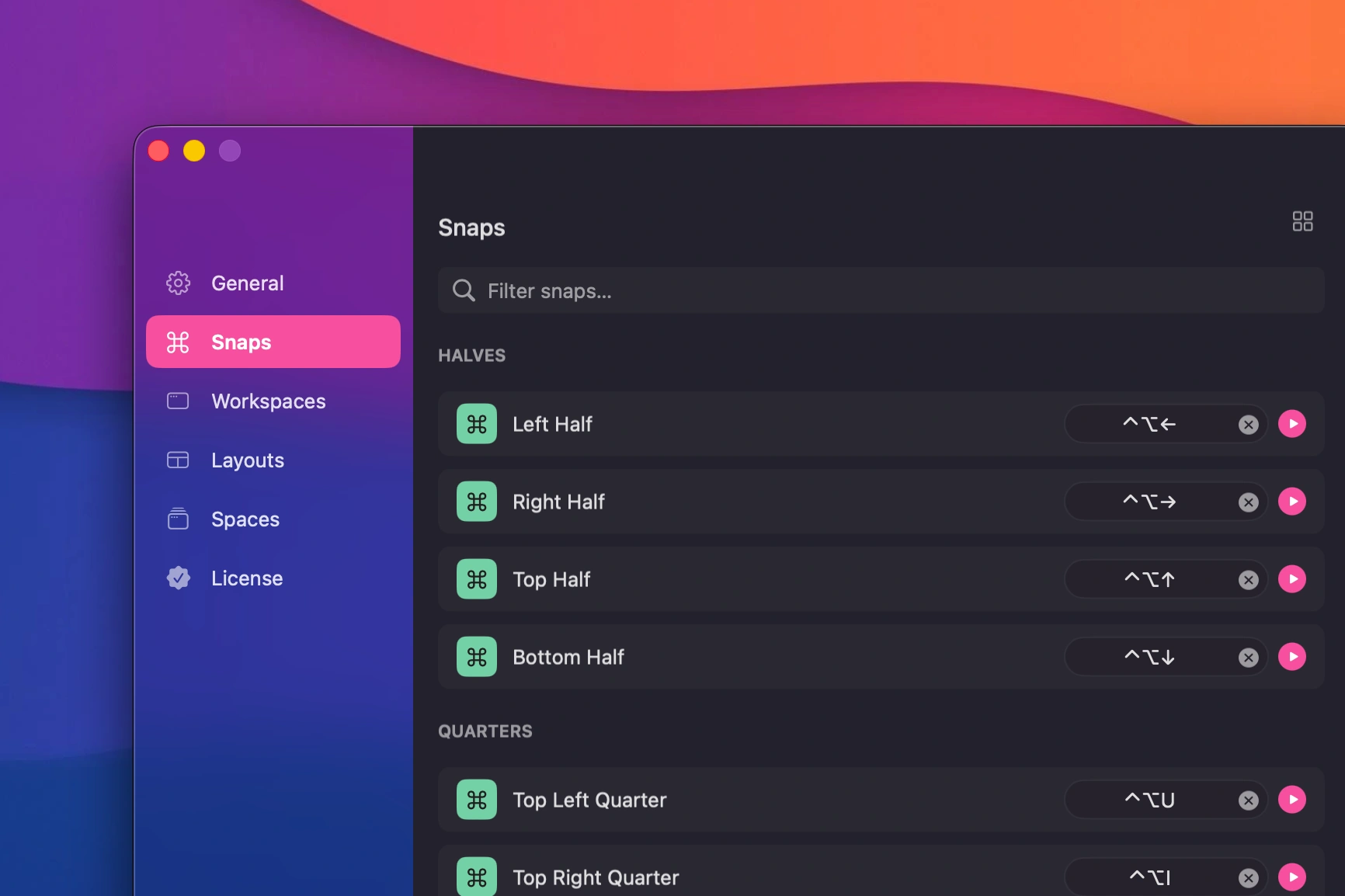 Drag a window to snap it into place
Already using a window manager? Keep it. Snapback works alongside any of them. See the full comparison for details.
Layouts
Sometimes you want to arrange all your open apps at once. Layouts snap every window on your display into a predefined grid with a single shortcut. Halves, thirds, quarters. Pick one and everything jumps into place.
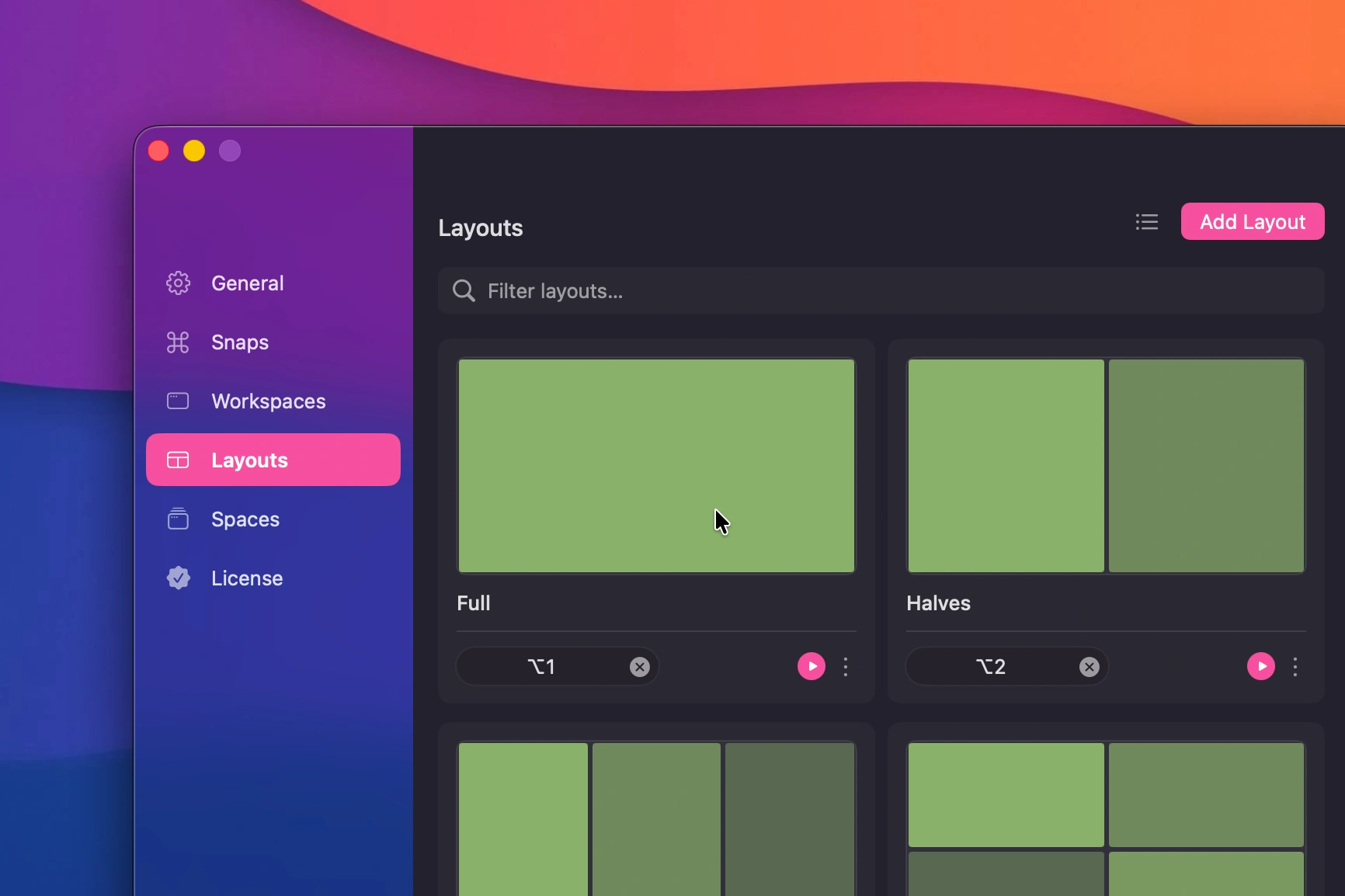 Predefined window layouts
Workspaces
A workspace is a full snapshot of your Mac. Every window on every display, exactly where you left it. Give it a name, assign a keyboard shortcut, and you can bring it back anytime.
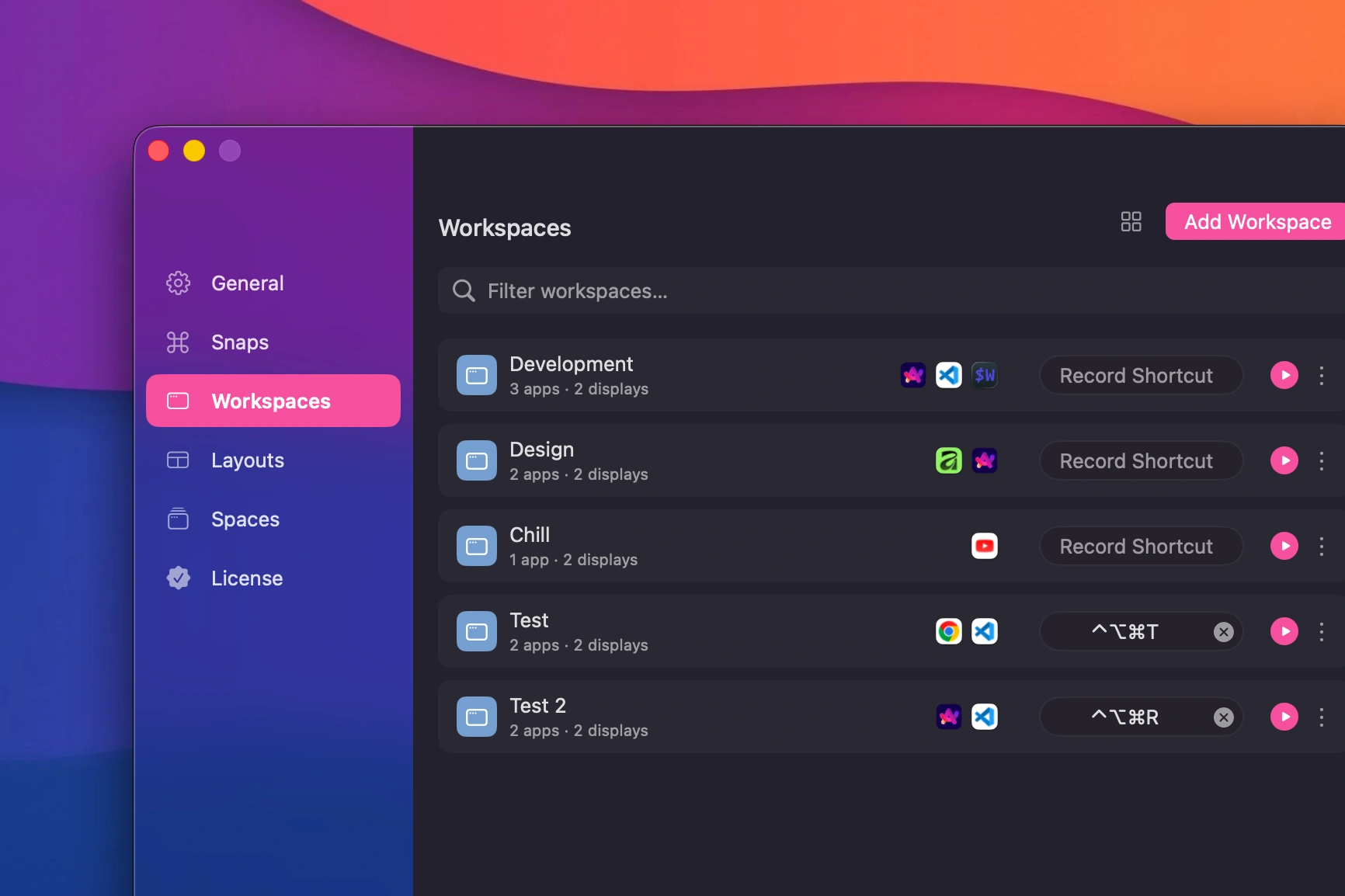 Saved workspaces with multiple configurations
You can create unlimited named workspaces. One for coding. One for meetings. One for design. Switch between them with a single keystroke.
Multi-Display Support
Snapback works across up to six displays. Plug or unplug a monitor mid-session and your layouts adjust automatically. Nothing breaks. Everything snaps back into place when your displays return.
Learn more about multi-display troubleshooting if you run into issues.
What Makes Snapback Different
Most window managers only move and resize windows that are already open. Snapback remembers which apps should be open and where they belong. It can reopen closed apps to restore your full workspace. Your layouts survive laptop closures, monitor changes, and system restarts.
| Feature | Other Window Managers | Snapback |
|---|---|---|
| Snap and resize windows | Yes | Yes |
| Saves full workspace layouts | No | Yes |
| Restores layouts on demand | Rarely | Yes |
| Reopens closed apps automatically | No | Yes |
| Unlimited named workspaces | Limited or none | Yes |
| Layouts survive restarts | Usually no | Yes |
Out of the Way
Snapback lives in your menu bar. You set it up once and forget about it until you need it.
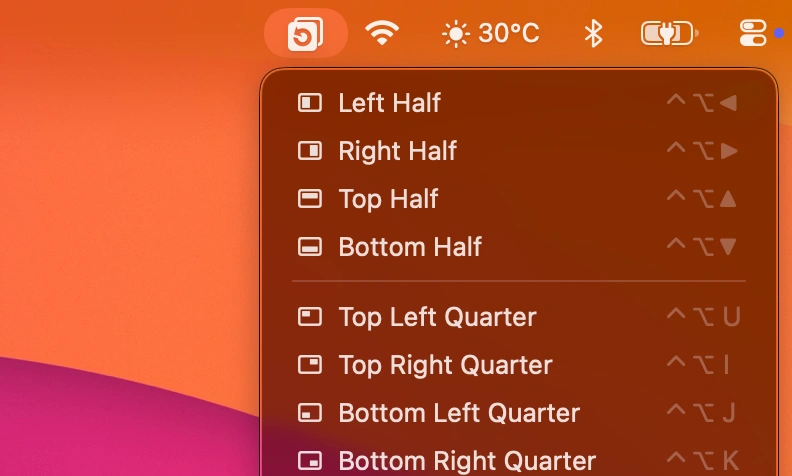 Snapback menu bar interface
Need help getting started? Check the Help Center for installation and setup guides.
Why Free
Because it is the tool I wanted to exist. If it helps you too, that is a bonus. There is a Pro version with extra features if you want to support development. But the core app will always be free.
What Is Next
I am working on a few Pro features that should make Snapback even more useful.
Quick command palette runs any Snapback command without remembering shortcuts. Think Raycast, but built right into the app.
Spaces organize your workspaces and layouts into separate groups. Each Space shows only the workspaces and layouts that belong to it. Keyboard shortcuts are tied to the active Space, allowing reuse of the same shortcuts across different contexts. Workspaces and layouts can also be set to global so they appear everywhere.
Smart launchers restore windows and open projects, websites, or run commands automatically.
Custom layouts let you create and name your own window arrangements beyond the defaults.
Follow along here for updates. If you have feature requests, open a discussion on GitHub.
Thanks for reading. Grab the latest version from the homepage or learn more about Snapback Pro.
- window manager
- macOS
- productivity
- workspace
- window snapping