 Snapback8 min read
Best Mac Window Managers in 2026, Compared
A hands-on comparison of the top Mac window managers: Rectangle, Magnet, BetterTouchTool, Amethyst, AeroSpace, yabai, and Snapback. Which one fits your workflow?
Why You Need a Window Manager
macOS gives you two options for window management: drag windows around manually, or use the green button to go full screen. Neither is great if you work with more than two apps at once.
A window manager fixes this. It lets you snap windows into position, create repeatable layouts, and switch between different setups without dragging anything. If you spend more than a few hours a day on your Mac, a window manager pays for itself in the first week.
I have tested most of them over the past few years. Here is what I found.
The Contenders
Rectangle
Rectangle is the default recommendation for anyone who wants free window snapping on Mac. It is open source, lightweight, and does one thing well: snap windows to halves, thirds, and quarters using keyboard shortcuts or by dragging to screen edges.
It is a fork of Spectacle, which has been unmaintained for years. Rectangle picked up where Spectacle left off and has been actively maintained ever since.
Best for: People who just want keyboard shortcuts for window snapping and nothing else.
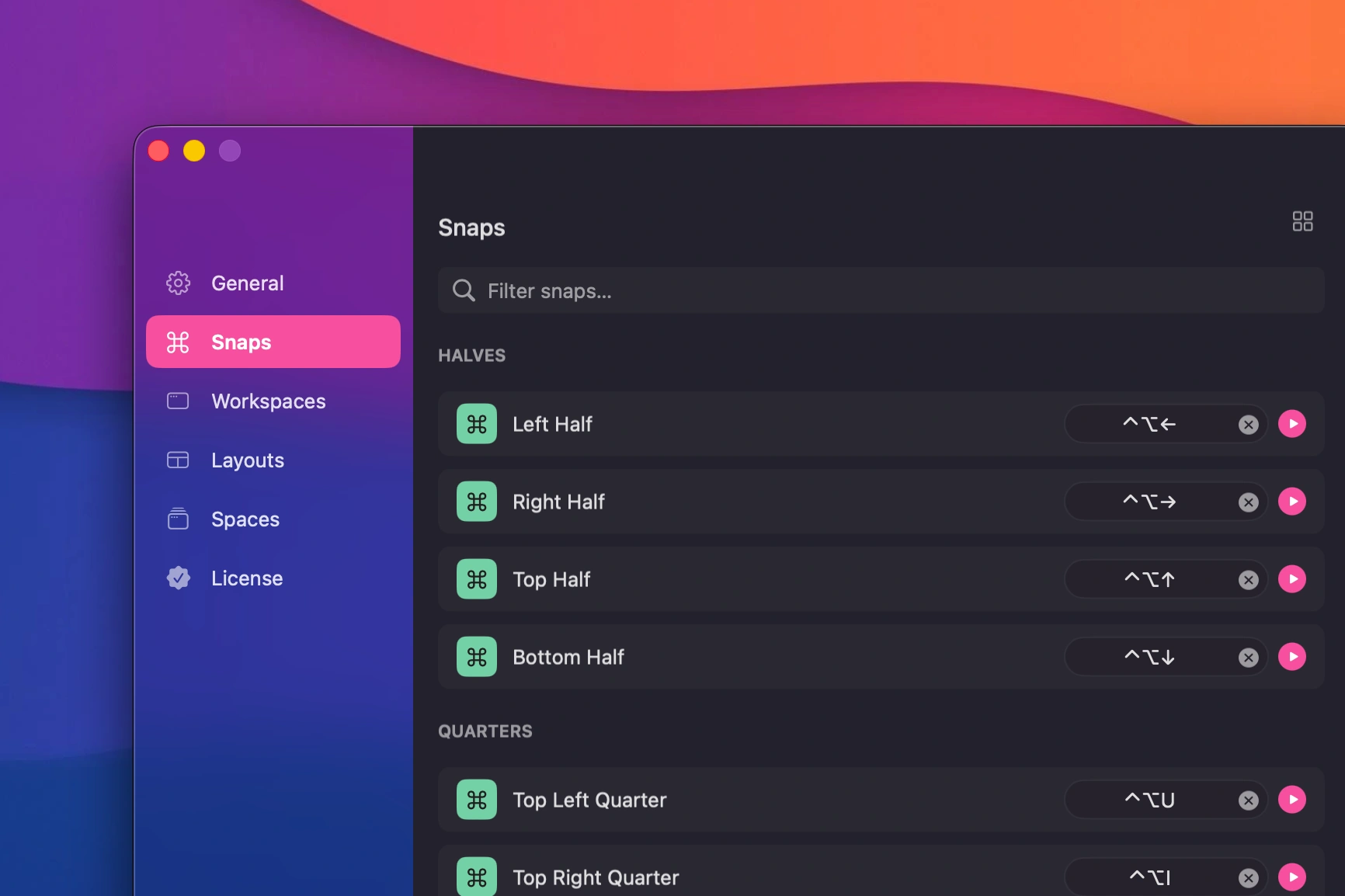 Drag a window to snap it into place
Limitations: Rectangle moves windows. It does not remember them. Close your laptop, disconnect a monitor, or restart your Mac, and you are rebuilding your layout from scratch.
Read the full Snapback vs Rectangle comparison if you want a deeper look at how the two differ.
Magnet
Magnet is the paid alternative to Rectangle. It lives in the Mac App Store, costs about $3, and offers similar snapping functionality. The interface is slightly more polished, and it includes a few extra features like window stacking and moving windows between displays.
Best for: People who prefer App Store purchases and want a polished UI.
Limitations: Same core limitation as Rectangle. It snaps windows but does not save or restore layouts.
BetterTouchTool
BetterTouchTool is a Swiss Army knife. It handles window snapping, but also trackpad gestures, mouse buttons, Touch Bar customization, and more. If you want one app to control every input device on your Mac, this is it.
Best for: Power users who want to customize everything.
Limitations: The learning curve is steep. Window management is one feature among hundreds. If you only need window snapping, it is overkill. And like Rectangle and Magnet, it does not save full workspace layouts.
Amethyst
Amethyst takes a different approach. It is a tiling window manager inspired by xmonad, a Linux tiling WM. Instead of manually snapping windows, Amethyst automatically arranges them in predefined layouts. New windows get placed according to the active layout algorithm.
Best for: Developers who come from Linux and prefer automatic tiling over manual snapping.
Limitations: The automatic layout approach does not work for everyone. Designers, writers, and anyone who needs specific window positions will find it frustrating. Configuration is done through a config file, not a GUI.
AeroSpace
AeroSpace is a newer, keyboard-first tiling window manager built around i3-style workspaces. It has picked up strong momentum with developers through 2025 and 2026 as an alternative to yabai, mainly because it does not require disabling System Integrity Protection.
Best for: Keyboard-first developers who want declarative, i3-style workspace layouts without touching SIP.
Limitations: Pre-1.0 as of this writing, so expect occasional breaking changes between minor versions. Like Amethyst and yabai, it tiles automatically and has no concept of saving a layout to restore later; closing the app or restarting your Mac starts you back at its default tiling behavior.
yabai
yabai is another tiling window manager, more advanced than Amethyst. It uses a scripting-first approach and can be extended with shell scripts. It requires disabling System Integrity Protection (SIP) for some features, which is a dealbreaker for many users.
Best for: Developers who want full programmatic control over their window layout.
Limitations: Requires disabling SIP for full functionality. Not for casual users. Like Amethyst, it tiles automatically rather than saving manual layouts.
Snapback
Snapback does everything the others do for window snapping, but adds the one feature none of them have: full workspace restoration. Save your entire Mac layout (every app, every window position, every display) with one shortcut. Restore it with another. Even after closing apps, restarting, or disconnecting monitors.
Best for: Anyone who switches between different work setups throughout the day and wants them to persist.
Limitations: macOS 14.2+ only. Apple Silicon only. Relatively new, so the feature set is still growing.
Coming From Windows? There Is No Direct FancyZones Equivalent
If you used FancyZones on Windows (part of Microsoft's PowerToys), you are used to defining custom zone layouts and snapping windows into them by dragging while holding Shift. macOS has nothing built in that matches this, and none of the tools above replicate FancyZones exactly, but a few come close depending on what you actually used it for:
- If you used FancyZones for custom multi-zone layouts (not just halves and quarters), BetterTouchTool's window snapping areas are the closest match. It lets you draw custom snap zones the same way FancyZones does.
- If you used FancyZones mainly to stop rebuilding your layout after undocking or reconnecting a monitor, that is a different problem than zone snapping, and it is the one Snapback solves. FancyZones does not restore your zone assignments after a display change either. Snapback does, across both single and multi-monitor setups.
- If you just want quarter and half snapping without the custom zone editor, Rectangle or Magnet get you there fastest with the least setup.
None of this is a one-to-one port of FancyZones. macOS window management works differently under the hood, so the tools that feel most "native" to Mac users solve the same problems with different mechanics rather than cloning the Windows tool.
Comparison Table
| Feature | Rectangle | Magnet | BetterTouchTool | Amethyst | AeroSpace | yabai | Snapback |
|---|---|---|---|---|---|---|---|
| Window snapping | Yes | Yes | Yes | Auto-tiling | Auto-tiling | Auto-tiling | Yes |
| Drag to snap | Yes | Yes | Yes | No | No | No | Yes |
| Save workspace layouts | No | No | No | No | No | No | Yes |
| Restore layouts on demand | No | No | No | No | No | No | Yes |
| Reopen closed apps | No | No | No | No | No | No | Yes |
| Multi-display aware | Partial | Partial | Yes | Yes | Yes | Yes | Yes |
| Layouts survive restarts | No | No | No | No | No | No | Yes |
| Requires disabling SIP | No | No | No | No | No | Yes (full features) | No |
| Price | Free | ~$3 | ~$10 | Free | Free | Free | Free |
| GUI configuration | Yes | Yes | Yes | No | No | No | Yes |
Which One Should You Use?
If you just want basic snapping: Rectangle. It is free, simple, and reliable. You cannot go wrong.
If you want automatic tiling: Amethyst for something approachable, AeroSpace if you want i3-style keyboard-first workspaces without disabling SIP, or yabai if you want full BSP control and do not mind disabling it.
If you want to customize everything: BetterTouchTool. It does more than window management, but that is the point.
If you want to save and restore full layouts: Snapback. No other tool on this list does this, including AeroSpace and yabai, which both forget everything on restart. You can also run Snapback alongside any of the others without conflicts.
Can You Use Multiple Window Managers Together?
Yes. Snapback works alongside Rectangle, Magnet, BetterTouchTool, and others without conflicts. You can use one tool for snapping and Snapback for workspace restoration. Many people do exactly this.
The only combination to avoid is running two tiling window managers at the same time. Amethyst, AeroSpace, and yabai will fight each other for control.
The Real Question
Most window managers answer the question: "How do I move this window?" Snapback answers a different question: "How do I get my entire setup back?"
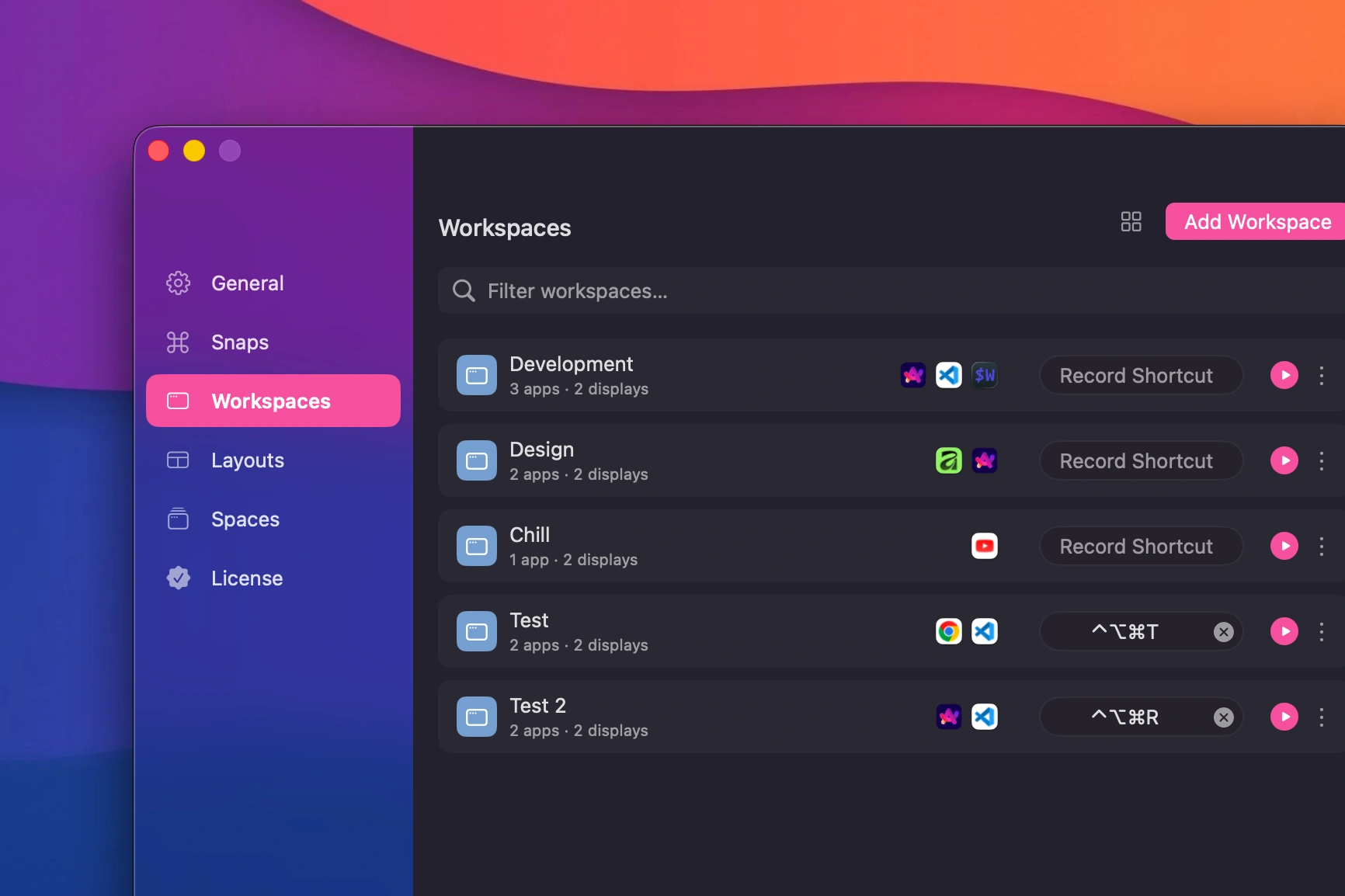 Saved workspaces with multiple configurations
If you find yourself rebuilding your window layout every morning, after every meeting, or every time you dock your laptop, then snapping alone is not enough. You need something that remembers.
That is the gap Snapback fills. And it is free, so there is no reason not to try it alongside whatever you are already using.
Download Snapback from the homepage or check the Help Center to get started.
- window manager
- macOS
- comparison
- productivity
- rectangle
- magnet
- aerospace
- yabai